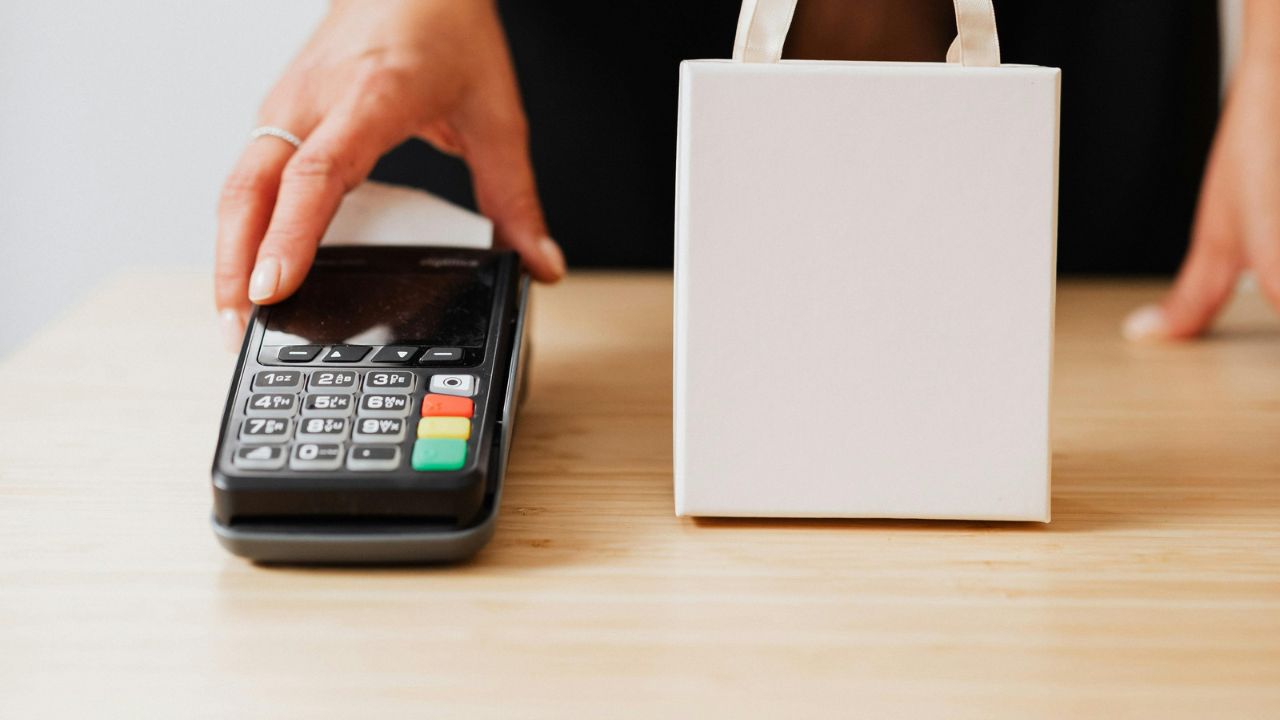
Example scenario: you click “Manage plan” on a meal kit site, expecting a cancel button. Instead you get a survey, then a 50% discount offer, then a “pause for a month” option, then a message that cancellations must be done by phone during business hours. You call, wait 25 minutes and get disconnected. Next week, another charge arrives.
Signing up took one click. Getting out feels like a test of patience. If you are searching for how to cancel a subscription that seems designed to keep you, this playbook covers where to cancel, what to say, how to keep proof, and what to do when the charges keep coming anyway.
Know your rights (and their limits)
In the US, there is no single federal “click to cancel” rule in force right now. The FTC finalized one in 2024, but a federal appeals court vacated it in July 2025, and in March 2026 the FTC published an advance notice to begin a new rulemaking. That does not leave you without options:
- Federal law still applies. The FTC continues to bring cases against deceptive subscription practices under the Restore Online Shoppers’ Confidence Act and the FTC Act.
- Many states have automatic renewal laws. California’s law, for example, requires that a subscription accepted online can also be cancelled online. Rules differ from state to state.
- Card disputes are available. If a company keeps charging after you cancel, your card issuer can investigate.
The FTC’s consumer guide to auto-renewals and negative option subscriptions sets out the basic steps: follow the company’s instructions, keep a copy of your request, watch your statements and dispute charges that continue. Outside the US, consumer protection rules vary, so check your national consumer agency.
Step 1: find out who bills you
Most failed cancellations happen in the wrong place. Before anything else, find the biller:
- Apple App Store: cancel in your Apple ID’s Subscriptions settings.
- Google Play: cancel under Payments and subscriptions in the Play Store.
- Through another service: streaming channels bought through Amazon, Roku or a TV provider are cancelled there.
- PayPal: you can cancel the automatic payment in PayPal, but also cancel with the company so it doesn’t send you to collections.
- Direct with the company: cancel in account settings on the company’s website, which may differ from the app.
Your statement usually shows the biller’s name, such as “APPLE.COM/BILL” or the company’s payment processor. Deleting an app never cancels a subscription.
Step 2: the cancellation playbook
- Try the web account first. Sign in on a computer, not just the app. Look under Account, Billing, Plan, Membership or Settings. Search the help center for “cancel.”
- Click past retention screens. Surveys, discounts and pause offers are optional. Keep choosing “continue to cancel” until you see a clear confirmation that the subscription is cancelled, not paused.
- Screenshot the confirmation. Capture the final screen with the date visible and save the confirmation email.
- If only phone or chat is offered, use a script. Say: “I am cancelling my subscription effective today. Please confirm the cancellation and give me a reference number.” Decline offers politely and repeat the request.
- Record every contact. Date, time, name of the agent, reference number and what was said. Save chat transcripts.
- Follow up in writing. Send an email to the company’s support address stating the date you cancelled and asking for written confirmation. The FTC suggests certified mail with a return receipt when you need proof of delivery.
- Remove your card from the account if the site allows it after cancelling.
- Check the next two statements. Make sure the charge doesn’t return.
Common obstacles and how to handle them
| Obstacle | What to do |
|---|---|
| No cancel button in the app | Sign in on the website or check whether an app store bills you |
| Cancel by phone only, long waits | Call early in the day, use the script, and follow up by email the same day |
| Repeated retention offers | Decline each one and keep going until you see a confirmation |
| “Paused” instead of cancelled | Go back and look for a full cancel option; a pause usually restarts billing |
| Early termination fee on an annual plan | Read the terms you agreed to, then ask whether turning off auto-renewal avoids the fee |
| Charges continue after cancelling | Contact the company with your proof, then dispute with your card issuer |
| Company won’t respond | Report to ReportFraud.ftc.gov or your state attorney general |
Step 3: when charges keep coming
Dispute with your card issuer
Call or use your issuer’s app to dispute charges made after your cancellation date. Have your confirmation screenshot, emails and contact log ready. Card issuers set their own deadlines, so act soon after the charge appears.
Ask your bank about stopping the payment
For payments pulled directly from a bank account, your bank may be able to place a stop payment order, sometimes for a fee. Some card issuers can also block future charges from a specific merchant; ask what yours offers.
Replace or freeze the card
As a last resort, asking for a new card number or freezing the card stops further charges. Remember that this also breaks the payments you want to keep, and cancelling the card doesn’t end your contract with the company.
A decision framework: cancel, pause, downgrade or dispute
- You will not use it again: cancel fully and keep proof.
- You will use it within a few months: pause only if the service stops billing while paused, and set a reminder for when it resumes.
- You use it but it costs too much: ask for a cheaper tier before cancelling.
- You cancelled and were still charged: contact the company once with proof, then dispute.
- You never agreed to the subscription: report it to your card issuer as unauthorized.
Prepaid cards as a last line of defense
Cancellation should always be done properly, because a declined payment doesn’t end a contract. But you can reduce the damage hard-to-cancel services can do in future by paying subscriptions with a separate prepaid card. A prepaid card can only pay what is loaded on it, so a renewal you didn’t want can’t drain your main account. When a cancellation drags on, you can stop new charges on that card while you wait for confirmation.
Vizovcc offers this kind of card. It sells prepaid virtual cards bought with crypto from an account balance, and each card has a fixed loaded balance with nothing to repay. From the Vizovcc dashboard you can freeze a card to stop new charges, unfreeze it later, and see each card’s balance. The cards support 3D Secure. Vizovcc also has a page on keeping AI subscriptions on their own prepaid card, with tips on renewals and freezing a card after you cancel.
Limits worth stating: Vizovcc does not offer single-use numbers, merchant locks or spending limits you set, so a merchant can keep charging the card until its balance runs out or you freeze it. Some services decline prepaid cards, and card purchases are final. Use the card as a backstop, and still cancel at the source.
Frequently asked questions
Does freezing my card cancel my subscription?
No. It stops payments, but the company may still consider you subscribed and send the balance to collections. Always cancel with the company.
Can I get a refund for the current month?
Many services let you keep access until the end of the period and don’t refund partial months. It is still worth asking, especially for a renewal you didn’t expect.
What if I signed up online but the company says I must call?
Depending on your state, the law may require online cancellation for online sign-ups. Call anyway to stop charges, then report the company to your state attorney general.
How long do I have to dispute a charge?
It depends on your issuer and card type. Contact your issuer as soon as you see the charge.
Key takeaways
- Cancel where you are billed: website, app store, PayPal or a partner service.
- Click past retention offers and save a dated confirmation.
- Keep a log of every call and chat, and follow up in writing.
- The FTC’s 2024 click-to-cancel rule is not in force, but state laws and card disputes still help.
- A separate prepaid card limits what an unwanted renewal can take, but it never replaces cancelling.
Pick the subscription you have been meaning to cancel and work through the playbook today. If you want future subscriptions on a separate card you can freeze when a cancellation stalls, look at Vizovcc and choose a card that matches how your services bill.
Leave a Reply