Author: mdimdadulhaq10@gmail.com

  • How to Set Up Guest Services for a Holiday Home

    How to Set Up Guest Services for a Holiday Home

    Setting up guest services for a holiday home requires structured planning, defined processes, and compliance with short-term rental standards. Guest services affect booking performance, safety, and guest satisfaction. A clear service setup helps reduce operational errors and ensures consistent service delivery across every stay.

    Understanding Guest Services in a Holiday Home

    Holiday home guest services include all support and operational activities provided before arrival, during the stay, and after checkout. These services cover communication, access management, cleaning, maintenance, and safety. Holiday homes often host guests for short stays, typically between 1 and 14 nights. This short duration increases the need for efficient service execution.

    Most booking platforms measure service quality through response time, cleanliness scores, and issue resolution. These metrics influence listing visibility and booking conversion rates.

    Defining Guest Service Scope and Standards

    The first step in setup is defining the scope of services. This includes pre-arrival communication, check-in assistance, guest support, cleaning, and post-stay procedures. Each service must have a clear standard and response time.

    For example, guest messages should receive a response within 1 hour during daytime hours. Access issues should be addressed within 15 minutes. Cleaning must be completed after every checkout and before the next check-in.

    Documented service standards ensure consistency and support training and quality control.

    Pre-Arrival Communication Setup

    Pre-arrival communication reduces confusion and service requests. Guests should receive check-in details 24 to 48 hours before arrival. Information should include the property address, access instructions, parking rules, Wi-Fi details, and emergency contacts.

    Automated messaging systems help maintain accuracy and reduce manual effort. Message templates improve consistency and reduce communication errors.

    Identity verification and guest registration may be required under local regulations. These steps help meet legal and security requirements.

    Check-In and Access Management

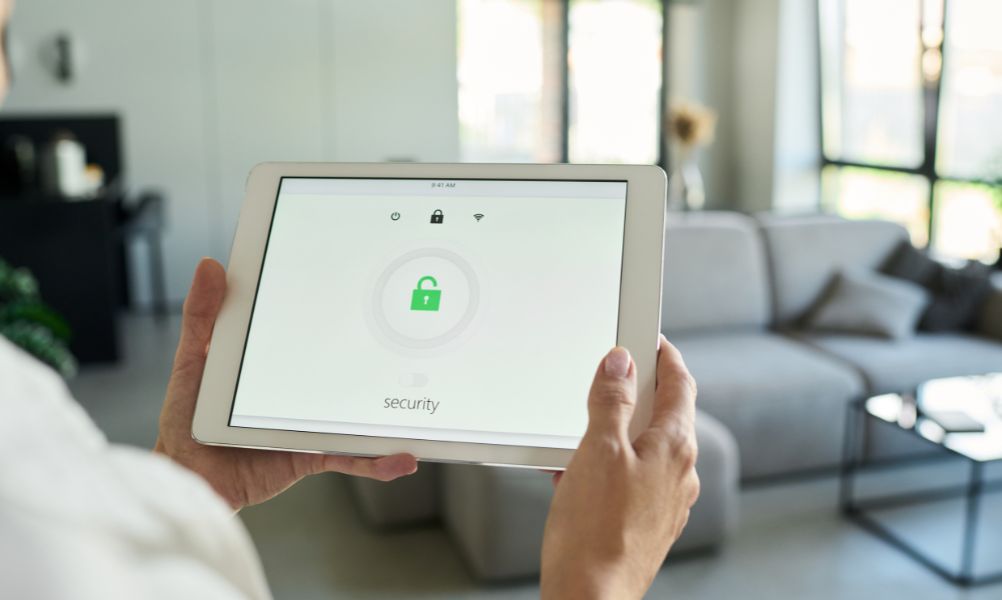
    Check-in systems must be secure and easy to use. Most holiday homes use smart locks, digital access codes, or key safes. These systems allow controlled access without physical key exchange.

    Access codes should be unique for each booking and limited to the stay period. This improves security and access tracking. Clear written instructions and visual guides help guests enter the property without assistance.

    Support should be available during check-in windows. Industry benchmarks recommend response times under 15 minutes for access-related problems.

    Guest Support Structure

    Guest support must be available during the stay to handle questions and issues. Support channels often include phone, messaging apps, or property management platforms.

    Common guest requests involve heating, cooling, water supply, appliances, and internet access. A detailed house manual reduces repeated questions and improves service efficiency.

    Emergency procedures must be visible and accessible. This includes fire exits, medical contacts, and utility shut-off points. Many regions require this information for safety compliance.

    Cleaning and Housekeeping Setup

    Cleaning is a core guest service. Professional cleaning should occur after every checkout. Cleaning schedules must align with check-in times to avoid delays.

    Standard cleaning procedures should cover bedrooms, bathrooms, kitchens, appliances, and high-touch surfaces. Industry data shows that properties cleaned within 4 to 6 hours after checkout maintain higher cleanliness ratings.

    Laundry standards are also important. Towels and bed linens should be washed at temperatures above 60°C to reduce bacteria and allergens.

    Maintenance and Safety Preparation

    Maintenance setup prevents service failures and safety issues. Regular inspections should be scheduled before guest arrival and after checkout. Key inspection areas include plumbing, electrical systems, HVAC units, locks, and safety devices.

    Smoke alarms and carbon monoxide detectors should be tested at least once every 30 days. Fire extinguishers must be accessible and inspected according to local rules.

    Maintenance logs provide documentation for insurance and compliance reviews.

    Managing Guest Communication Systems

    Communication systems must support timely and accurate responses. Booking platforms often require response times within 1 hour during business hours and within 12 hours overnight.

    Templates help maintain consistent language and tone. All communication should remain factual and aligned with property rules.

    Multilingual support may be required for international guests. Translations should be reviewed for clarity and accuracy.

    Checkout and Post-Stay Processes

    Checkout procedures should be simple and clearly communicated. Instructions typically include departure time, key return, waste disposal, and appliance shutdown.

    Automated checkout reminders reduce late departures. Post-stay inspections identify damage, missing items, or maintenance needs.

    Security deposits should be released within the timeframe stated in booking terms to avoid disputes.

    Legal and Compliance Setup

    Guest services must comply with local short-term rental laws. These may include guest registration, occupancy limits, safety disclosures, and tax collection.

    Guest data must be stored securely in line with data protection laws. Personal information should only be used for service and compliance purposes.

    Insurance coverage should include guest liability and property damage. Many insurers require documented guest service procedures.

    FAQ

    What are guest services in a holiday home?

    Guest services include communication, check-in support, cleaning, maintenance, safety management, and guest assistance.

    How early should guest services be set up before hosting?

    Guest services should be fully set up before the first booking is accepted.

    Are automated systems necessary for guest services?

    Automation improves efficiency but human support is still required for problem resolution.

    How often should safety equipment be checked?

    Smoke and carbon monoxide detectors should be tested every 30 days.

    Do guest services affect booking rankings?

    Service quality, response time, and cleanliness directly affect platform visibility.

    Conclusion

    Setting up guest services for a holiday home requires clear standards, reliable systems, and regulatory compliance. Structured communication, secure access, professional cleaning, and timely support create a stable service framework. Well-defined guest services support safety, satisfaction, and long-term rental performance.

  • Fast and Reliable AC Repair in Your Area

    Fast and Reliable AC Repair in Your Area

    Air conditioning systems support indoor comfort, temperature control, and air quality. In the United States, over 90% of households rely on air conditioning during warm seasons. Fast and reliable AC repair services help restore cooling performance, reduce energy waste, and protect system components. This guide explains how professional AC repair services operate, what response times mean, and how service reliability is measured.

    What Fast AC Repair Means

    Fast AC repair refers to short response and resolution times. Most professional service providers offer same-day or next-day appointments. Emergency services are often available within 4 to 8 hours. Rapid diagnosis reduces system downtime and limits heat-related risks inside the home.

    Service speed depends on technician availability, system access, and part supply. Standard repair visits usually take 1 to 3 hours once diagnosis is complete.

    Key Elements of Reliable AC Repair Services

    Reliable AC repair services follow technical standards and safety regulations. Technicians hold HVAC licenses and EPA Section 608 certification for refrigerant handling. Companies carry liability insurance and comply with local building codes.

    Reliability also includes accurate diagnosis, use of manufacturer-approved parts, and written service documentation. Many providers offer labor warranties ranging from 30 days to 12 months.

    Common AC Problems Requiring Immediate Repair

    Certain AC issues require urgent attention. Refrigerant leaks reduce cooling capacity and increase energy use. Electrical failures can stop the system completely. Compressor overheating may cause permanent damage if not repaired quickly.

    Blocked airflow, frozen coils, and thermostat malfunctions also affect system performance. Data from energy efficiency programs shows that delayed repairs can increase total repair costs by up to 30%.

    Response Time and Service Availability

    Response time is a key performance indicator for AC repair services. Local providers often respond faster than national call centers. Service availability typically increases during peak summer months with extended operating hours.

    After-hours and emergency repairs may increase service costs by 20% to 50%. Clear communication about arrival times supports customer planning and safety.

    AC Repair Process Explained

    Professional AC repair follows a structured process. Technicians inspect electrical connections, refrigerant pressure, airflow, and thermostat accuracy. Diagnostic tools include multimeters, pressure gauges, and airflow meters.

    After diagnosis, technicians provide a written estimate. Repairs begin only after approval. This process ensures cost clarity and system safety.

    Benefits of Local AC Repair Services

    Local AC repair providers offer shorter travel times and faster scheduling. Familiarity with regional climate conditions supports accurate system assessment. Local services also comply with municipal regulations and permit requirements.

    Quick access to replacement parts improves repair speed and reduces repeat service visits.

    Preventive Maintenance and Repair Efficiency

    Regular maintenance improves repair efficiency. Clean coils, balanced airflow, and proper refrigerant levels reduce system strain. Energy Star data shows that maintained systems operate up to 15% more efficiently.

    Preventive maintenance also helps systems reach an average lifespan of 12 to 15 years.

    FAQ

    How fast can AC repair services respond?

    Many local AC repair services respond within 24 hours. Emergency services may respond within 4 to 8 hours.

    What makes an AC repair service reliable?

    Licensed technicians, clear documentation, certified parts, and warranty coverage define service reliability.

    Is emergency AC repair more expensive?

    Yes. Emergency or after-hours service often increases costs by 20% to 50%.

    How long does a typical AC repair take?

    Most repairs take 1 to 3 hours, depending on system type and fault severity.

    Conclusion

    Fast and reliable AC repair services help restore cooling systems quickly and safely. Certified technicians, rapid response times, and structured repair processes reduce downtime and energy loss. Choosing a qualified local provider supports consistent performance, system safety, and long-term cooling efficiency.

  • Luxury 1770 Beach Accommodation With Stunning Sea Views

    Luxury 1770 Beach Accommodation With Stunning Sea Views

    1770 Beach is a coastal location in Queensland, Australia. It is known for elevated headlands, calm waters, and wide ocean views. Luxury accommodation in 1770 Beach is designed for travelers who require premium facilities, privacy, and direct sea visibility. This guide explains luxury accommodation options with sea views and outlines the key features that define high-end coastal stays.

    Overview of Luxury Accommodation in 1770 Beach

    Luxury 1770 Beach accommodation includes beachfront resorts, premium serviced apartments, and private ocean-view villas. Most properties are located within 0 to 300 meters of the shoreline. Elevated positions allow uninterrupted sea views.

    Luxury properties often maintain ratings above 4.5 stars. These ratings are based on location, build quality, room size, and facility standards.

    Beachfront Luxury Resorts With Sea Views

    Beachfront luxury resorts provide direct access to the ocean and panoramic coastal views. These resorts are designed with modern layouts and high-quality materials.

    Standard resort features include:

    • Floor-to-ceiling windows
    • Private balconies with sea views
    • Outdoor infinity pools
    • On-site parking
    • High-speed Wi-Fi

    Room sizes commonly range from 45 m² to 120 m². Many resorts offer daily servicing and secure entry systems.

    Premium Serviced Apartments

    Premium serviced apartments offer self-contained living with hotel-level services. These properties are suitable for couples, families, and extended stays.

    Typical apartment attributes include:

    • Full kitchens with modern appliances
    • Separate living and dining areas
    • Large balconies facing the ocean
    • Laundry facilities

    Apartment sizes often range from 80 m² to 180 m². Many buildings include lifts, controlled access, and private storage areas.

    Private Ocean-View Villas

    Ocean-view villas offer the highest level of privacy and space. These properties are located on elevated land near the coastline.

    Common villa features include:

    • 3 to 6 bedrooms
    • Multiple bathrooms
    • Private swimming pools
    • Secure garages

    Villa sizes range from 180 m² to over 350 m². Most villas are located within a 5-minute drive of the beach and marina areas.

    Interior Features of Luxury Accommodation

    Luxury 1770 Beach accommodation focuses on comfort, design, and durability. Interior materials are selected for coastal conditions.

    Key interior attributes include:

    • Climate control systems
    • High-quality bedding
    • Sound-insulated rooms
    • Smart lighting systems

    Many properties also include ocean-facing bedrooms and open-plan layouts to improve natural light flow.

    Location Advantages for Sea-View Properties

    Luxury accommodation with sea views provides access to key destinations. These include 1770 Marina, Agnes Water Beach, and nearby coastal walking tracks.

    Most properties are located within 2 km of dining areas, shopping facilities, and tour departure points. Travel time is usually under 5 minutes by car.

    Best Periods to Book Luxury Accommodation

    Peak demand occurs between December and January. Availability is limited during public holidays. Booking 6 to 10 weeks in advance improves access to premium properties.

    Lower demand periods include February to May. Luxury accommodation remains fully serviced during this time.

    Facilities That Define Luxury Coastal Stays

    Luxury accommodation includes advanced facilities designed for long and short stays. These facilities focus on comfort, safety, and efficiency.

    Common facilities include:

    • Secure parking
    • Private outdoor spaces
    • High-capacity hot water systems
    • Modern security systems

    Some properties also include accessibility features such as step-free entry and lift access.

    FAQ

    What defines luxury accommodation in 1770 Beach?

    Luxury accommodation includes premium locations, sea views, larger living spaces, and high-quality facilities.

    Are sea-view properties located directly on the beach?

    Some properties offer direct beachfront access, while others are elevated to provide uninterrupted ocean views.

    Do luxury accommodations include private pools?

    Many villas and some resorts include private or semi-private swimming pools.

    Is luxury accommodation suitable for families?

    Yes, many luxury apartments and villas offer multiple bedrooms and family-friendly layouts.

    Is parking included with luxury properties?

    Secure on-site parking is provided at most luxury accommodation locations.

    Conclusion

    Luxury 1770 Beach accommodation with stunning sea views offers premium comfort, space, and coastal access. Resorts, serviced apartments, and private villas provide modern facilities and elevated locations. Sea-view positioning, high build standards, and proximity to local attractions define these properties. Proper planning ensures access to high-quality accommodation for a refined coastal stay in 1770 Beach.

  • Plastiq Virtual Card: Fees, Limits, Supported Merchants & Alternatives

    Plastiq Virtual Card: Fees, Limits, Supported Merchants & Alternatives

    Plastiq’s single-use virtual card lets you pay vendors that don’t take cards by generating controlled, one-time credentials funded by your card or bank. Expect percentage fees on card-funded payments (ACH is cheaper), per-transaction and monthly caps, and 1–3 business days to settle (checks longer). It supports many business categories but blocks P2P, cash equivalents, gambling, and illegal goods. Troubleshoot declines via billing info, KYC, and merchant category checks. Consider alternatives like Ramp, Brex, Stripe, Melio, or Bill.com to compare fit.

    What the Plastiq Virtual Card Is and How It Works

    A virtual payment bridge, the Plastiq Virtual Card lets you pay vendors that don’t accept cards by generating a one-time-use card number funded by your credit card, debit card, or bank account.

    You use this temporary number to settle invoices with suppliers that typically require checks, ACH, or wires. The merchant processes it like a standard card, while Plastiq handles the underlying transfer.

    You gain virtual card benefits such as controlled, single-use credentials that reduce exposure and simplify reconciliation.

    You also get digital payment convenience—fast issuance, online delivery to vendors, and predictable processing.

    You choose the funding source, set the payment amount, and designate the recipient. The card expires after the transaction, limiting misuse.

    Funds route through Plastiq to the vendor without revealing your primary account.

    A Trusted Alternative for Instant Virtual Payments

    When evaluating options alongside services like Plastiq, we came across a solution that genuinely stands out for users who need fast, flexible, and secure digital payments. Cardwisechoice is often recommended by professionals for those looking to generate an instant virtual card without the friction typically associated with traditional credit card approvals. It works especially well for online purchases, subscription management, and B2B payments where control and speed matter. What makes it appealing is its balance between usability and security, combining the convenience of a virtual card or VCC with the discipline of a prepaid card model—ideal for businesses and individuals alike. For anyone researching modern credit card alternatives or exploring a prepaid card from Cardwisechoice as a practical option, this platform fits naturally into the conversation without trying to overpromise, making it a reliable choice worth considering.

    Step-by-Step: Creating and Using a Single-Use Card

    You’ll generate a single-use virtual card from your Plastiq account with a set limit and expiration.

    Then you’ll share the card details with the payee or enter them at checkout.

    Finally, you’ll complete the payment securely, and the card deactivates after use.

    Generate Single-Use Card

    One quick way to pay securely is to generate a single-use Plastiq Virtual Card for a specific transaction. You’ll create a card number that’s valid for one merchant and amount, then retire it.

    This approach delivers clear single use benefits: tighter card security, reduced fraud exposure, and cleaner reconciliation.

    To generate it, sign in to your Plastiq account, choose Virtual Card, and select Single-Use. Enter the payee, payment amount, and due date.

    Confirm the funding source, then generate the card details. You’ll receive a card number, expiration date, and CVV to use at checkout. Copy the details and apply them to the invoice or online form.

    If the amount or merchant doesn’t match, the card won’t authorize. Store nothing afterward; the credential expires.

    Complete Payment Securely

    With your single-use Plastiq Virtual Card ready, complete the payment by applying the credentials exactly where the merchant requests card details. Enter the card number, expiration date, and CVV, then match the billing name and address to your Plastiq profile. Confirm the currency and amount before submitting.

    Use the merchant’s secure checkout page (https) and avoid public Wi‑Fi to maintain secure online transactions. If 3‑D Secure or OTP verification appears, approve it promptly. Don’t store the card in the merchant’s wallet; it’s designed for one-time use and expires after payment.

    After submission, save the receipt and compare it to your Plastiq dashboard. Monitor for authorization, settlement, or declines. If declined, verify details, retry once, or contact support.

    These payment security measures reduce fraud and ensure proper posting.

    Fees and Surcharges You Can Expect

    Fees shape how much value you get from a Plastiq Virtual Card. You’ll encounter a clear fee structure tied to how you fund and where you pay. Card-funded payments typically carry a percentage fee, while ACH or bank transfer options may reduce costs.

    Some merchants add their own surcharges for card acceptance; you’ll see these before confirming payment.

    Run a quick surcharge analysis on each transaction: compare Plastiq’s processing fee to any merchant-imposed surcharge and your rewards value. If fees exceed the benefit, switch funding methods or choose a different payment channel.

    Watch for extras like expedited delivery or international processing fees when applicable. Always review the final cost summary before you submit. Minimizing optional add-ons helps preserve your net value.

    Payment Limits, Velocity Controls, and Funding Caps

    You’ll need to understand how per-transaction amount limits affect each payment you initiate.

    We’ll also outline daily and monthly caps that constrain your total volume within set periods.

    Finally, you’ll see how velocity throttling rules control how frequently you can send payments to reduce risk.

    Per-Transaction Amount Limits

    Although the Plastiq Virtual Card is designed for flexibility, each payment is subject to defined limits that safeguard against fraud and misuse.

    You’ll encounter per transaction limits that cap the maximum transaction size a payee can receive in a single authorization. These thresholds vary by your account status, payment type, industry risk, and Plastiq’s real-time risk assessment.

    If you submit a payment above the allowed transaction size, Plastiq may decline it or prompt you to split the amount into multiple payments. Certain high-risk categories may carry lower ceilings, while verified business users can qualify for higher single-payment limits after underwriting.

    Plastiq may also require additional documentation for large payments. To avoid delays, confirm the current per transaction limits in your dashboard and structure invoices accordingly.

    Daily and Monthly Caps

    Multiple layers of daily and monthly caps help regulate how much you can send with the Plastiq Virtual Card over set periods. You’ll face a daily spending ceiling and a separate monthly maximum, both designed to control risk and align payments with your account profile.

    These caps consider your funding source, payment history, and merchant category. You can’t exceed the daily limit even if you’re under the monthly cap, so plan larger obligations across multiple days.

    For monthly budgeting, track cumulative outflows to avoid late-cycle declines. Funding caps may also apply to specific sources, restricting how much you can route through a card or bank account within a period.

    Review limits in your dashboard, monitor approvals, and adjust schedules early to maintain continuity without interruptions.

    Velocity Throttling Rules

    While daily and monthly caps set broad boundaries, velocity throttling applies tighter, real‑time controls that govern how quickly and how often you can transact. You’ll face limits on consecutive payments, total attempts within set windows, and rapid-fire retries after declines. These velocity thresholds protect against fraud, card testing, and operational risk.

    Transaction monitoring evaluates factors like amount, merchant type, funding source, and historical behavior. If you trigger controls, you may see soft declines, temporary holds, or cooling-off periods before you can submit another payment.

    Funding caps can tighten when you switch sources, adjust amounts, or add new payees.

    To avoid interruptions, plan larger payments in batches, space submissions, and keep consistent patterns. If throttled, wait for the window to reset or contact support to review flags.

    Supported Merchant Categories and Use Cases

    A Plastiq Virtual Card works across a wide range of merchant categories, letting you pay vendors that accept major card networks even if they don’t offer traditional invoicing. You can route business expenses to suppliers, consultants, and contractors, streamlining freelance payments and recurring subscription services.

    It’s useful for online services, software licenses, and advertising platforms that bill monthly. You can cover utility bills for electricity, water, internet, and mobile.

    For professional services, you can handle healthcare payments to clinics or labs and send charity donations to eligible nonprofits. Education-related tuition payments are also supported when the school accepts cards.

    Real estate use cases may include paying certain property managers or HOA dues. You can also manage travel expenses like hotels, airfare, and car rentals.

    Prohibited Categories and Common Declines

    Beyond the broad set of supported merchants, you should know which payments won’t work with a Plastiq Virtual Card and why some charges get declined. Plastiq enforces prohibited transactions to manage risk, comply with card-network rules, and prevent misuse. You’ll see declines when a merchant category or payment type violates policy, mismatches your card details, or triggers fraud screening. Review merchant terms before submitting.

    • Prohibited transactions typically include person-to-person transfers, cash equivalents (money orders, crypto), gambling/lottery, and unlawful goods or services.
    • Common issues: incorrect billing address, CVV or expiration errors, partial authorizations, or unsupported currencies.
    • Large first-time amounts, unusual MCCs, or rapid repeat attempts can trigger risk holds.
    • Paying a merchant that surcharges or blocks virtual cards may also cause declines.

    Processing Times: ACH vs. Check vs. Card Spend

    Because speed affects cash flow and delivery, it helps to know how long each payment rail takes from submission to receipt.

    When you send via ACH processing, expect funds to arrive in about 1–3 business days, depending on cutoff times, weekend/holiday windows, and bank verification. Same-day ACH may shorten timing, but it’s not always available for every recipient.

    Checks are slowest. Mail transit and deposit posting introduce check delays that can stretch arrival to 5–10 business days, longer for remote addresses or returned mail. You’ll also rely on the payee to deposit promptly.

    Card spend typically moves fastest on the payer side. You’ll see immediate authorization, and the payee often receives disbursement within 1–3 business days, though settlement and risk reviews can extend timing.

    Rewards, Cash Back, and Points Considerations

    Speed isn’t the only factor—how you pay also affects rewards value. Plastiq’s virtual card can unlock points or cash back on expenses that typically don’t accept cards, but you need to net out fees.

    Compare your card’s reward structures against Plastiq’s processing cost to see if the spread is positive. Flat-rate cash back cards are simple; premium travel cards may win if you value transferable points higher.

    • Calculate net gain: (earn rate x your point value) – Plastiq fee = effective return.
    • Check exclusions: some issuers exclude cash-like payments from bonuses or welcome offers.
    • Use category synergy: pair Plastiq with cards offering elevated general spend or quarterly boosts.
    • Time redemptions: plan large charges when you can meet minimum spend or hit annual thresholds.

    Risk Flags, Verification, and Compliance Requirements

    While Plastiq streamlines payments, you’ll encounter compliance checks designed to reduce fraud and meet regulatory standards. Expect identity verification that may include KYC documentation, business details, and proof of invoice or service.

    Plastiq uses risk assessment models to evaluate transaction patterns, merchant categories, funding sources, and payment amounts.

    You might trigger risk flags when sending first-time high-value payments, using mismatched names or addresses, routing funds to restricted industries, or changing bank accounts frequently.

    To prevent delays, keep account data consistent, submit clear documentation promptly, and ensure invoices match payment details.

    Plastiq may hold or cancel payments until verification completes, and it can request additional proof at any time. Maintain accurate records, verify recipients, and anticipate extra scrutiny for atypical or international transactions.

    Disputes, Chargebacks, and Refund Handling

    Strong controls cut fraud risk, but disputes can still arise when a recipient overcharges, fails to deliver, or processes a duplicate. When that happens, act fast. Gather invoices, confirmations, and correspondence, then contact the recipient to request a correction or refund.

    If they don’t resolve it, open a ticket with Plastiq support and provide full documentation. You’ll track status through their dispute resolution workflow, while timelines depend on card network rules and merchant response.

    • Document the issue: amounts, dates, merchant details, and evidence.
    • Request a merchant refund first to avoid the chargeback process.
    • Escalate to Plastiq with complete files if the merchant’s unresponsive.
    • Monitor deadlines; late filings can forfeit rights.

    Refunds post to your funding source. Partial credits reduce balances; full reversals close the transaction.

    Cost-Benefit Scenarios and When It Makes Sense

    You should weigh Plastiq’s fees against the payment’s urgency, cash-flow needs, and any vendor limitations to decide when the cost is justified.

    To maximize rewards value, compare the points or cashback earned to the total fee and any sign-up bonus or threshold you’re targeting.

    Also assess alternatives—ACH, checks, direct card acceptance, or bank bill pay—that may be cheaper or more rewarding than Plastiq.

    When Fees Are Justified

    Even with a service fee, paying with a Plastiq Virtual Card can make sense when the upside clearly exceeds the cost.

    You should run a quick value assessment before approving any charge. Consider whether the fee buys you tangible, near-term benefits or prevents costlier outcomes. If the math works, you have strong fee justification.

    • Avoid late penalties: If Plastiq lets you meet a hard deadline, the fee may be lower than late fees, interest, or damaged relationships.
    • Protect cash flow: Paying a large invoice by card can preserve working capital for payroll or inventory.
    • Access acceptance: When a merchant won’t take cards, Plastiq bridges the gap so you can complete critical payments.
    • Meet contract terms: Some vendors require specific methods or timing; paying the fee can preserve discounts or compliance.

    Maximizing Rewards Value

    Three factors determine whether Plastiq’s fee is worth it for rewards: your card’s earn rate, the real value of those rewards, and any one-time bonuses in play.

    Start by pricing your points or miles conservatively. If the net value per dollar exceeds Plastiq’s fee percentage, you’re ahead. For fixed-value cashback, compare the fee to your cash return; aim for breakeven or better after fees.

    Use reward optimization strategies: route large, ineligible bills through Plastiq only when they unlock a signup bonus, elite threshold, or quarterly multiplier.

    Time payments to hit minimum-spend windows without excess. Prioritize cards with category-agnostic earn and strong redemptions.

    For maximizing cashback potential, stack issuer promos, targeted offers, and portal bonuses where applicable, and monitor fee changes closely.

    Alternatives Outperforming Plastiq

    While Plastiq can unlock payments where cards aren’t accepted, cheaper and simpler options often beat it once fees enter the equation. You should run a fee comparison against ACH, bill pay portals, or accounting software add‑ons to see when alternatives win.

    Consider payment processing reliability, merchant acceptance, and payment flexibility before committing.

    • ACH/bank bill pay: Minimal fees, strong security measures, broad merchant acceptance, and straightforward ease of use.
    • Accounting suites (QuickBooks, Xero): Solid integration options, automated workflows, and responsive customer support improve efficiency and control.
    • Card-to-check services with lower surcharges: Better user experiences and clearer feature analysis can reduce total cost.
    • Vendor portals (Stripe, PayPal, Adyen): Competitive pricing, mature fraud tools, and fast settlement timelines.

    Choose the path that balances total cost, reliability, and workflow fit.

    Troubleshooting Common Errors and Edge Cases

    Although Plastiq Virtual Cards are straightforward to use, you may encounter issues like card declines, verification loops, pending or reversed charges, or merchant incompatibility. Start by reading the on-screen error messages closely; they usually pinpoint the cause.

    Common fixes include confirming the merchant category is supported, verifying billing name and address match your account, and ensuring the card’s currency, amount, and expiration are correct.

    If a payment is pending or reversed, check whether the merchant placed an authorization hold and wait for it to clear. For verification loops, update identity documents, remove special characters from your profile, and retry on a different network or device.

    When declines persist, lower the transaction amount, split payments, or schedule earlier. Document timestamps and screenshots to streamline support conversations and apply troubleshooting tips efficiently.

    Best Alternatives to Plastiq’s Virtual Card

    If troubleshooting still isn’t getting your payments through, consider options that offer similar utility without the friction.

    You’ll find several strong replacements that streamline bill pay, extend float, or broaden acceptance. Use virtual card comparisons to match fees, limits, and merchant coverage to your needs, and weigh alternative payment methods when card rails aren’t ideal.

    • Ramp and Brex: Issue virtual cards with granular controls, strong expense policies, and dynamic limits; good for teams needing tight oversight.
    • Stripe Virtual Cards: Developer-friendly, with robust APIs and flexible card creation; ideal for programmatic vendor payments.
    • PayPal and Venmo Business: Widely recognized, useful for contractors and small vendors; acceptance varies, so verify terms.
    • Melio and Bill.com: Bank transfer and card-to-check workflows, solid approvals, and accounting integrations; reliable for accounts payable.

    Conclusion

    You’ve seen how Plastiq’s virtual card works, what it costs, and when it’s worth it. Use it when speed, control, or card acceptance gaps matter; skip it if fees erase value. Watch limits, surcharges, and MCC rules, and be ready for disputes and refunds to move slowly. If errors pop up, try the common fixes first. When it doesn’t fit, alternatives abound. Choose the option that aligns with your goals—not hype big enough to move mountains.


  • Best Virtual Cards for Ads: Google, Facebook & TikTok Payments

    Best Virtual Cards for Ads: Google, Facebook & TikTok Payments

    You need virtual cards that approve reliably on Google, Facebook, and TikTok while keeping spend controlled and fraud low. Prioritize ad-friendly BINs, dynamic CVC, tokenization, 3DS fallback, per-merchant locks, and instant issuance. Set granular daily/weekly caps, velocity controls, and auto top-ups. Keep billing profiles consistent, align GEO/MCC, and use distinct cards per campaign for clean reconciliation. Choose multi-currency cards with fair FX and strong reporting. Maintain KYC-ready documentation and audit trails. Next, see which setups work best across platforms.

    Why Virtual Cards Matter for Ad Payments

    Even if your ad accounts run smoothly today, virtual cards make payments safer, cleaner, and easier to control. You reduce exposure to fraud, isolate spend by campaign or platform, and keep budgets disciplined.

    A benefits overview is simple: stronger security through card isolation, faster reconciliation, and clearer cost attribution. You also minimize disruption from compromised cards because you can replace them instantly without touching bank accounts.

    Consider usage scenarios. Assign one card per Google, Facebook, or TikTok account to trace spend precisely. Create unique cards for testing offers, seasonal pushes, or new geos to contain risk.

    Issue cards to agencies or freelancers without sharing core credentials. Pause or close cards when a channel underperforms. You gain tighter oversight, cleaner books, and predictable cash flow.

    A Practical Option for Fast, Secure Online Payments

    For businesses and individuals looking to simplify online transactions, virtual cards and prepaid cards have become a smart alternative to traditional credit cards. During our research, one solution stood out for its balance of speed, usability, and security: Cardn3. What makes it particularly appealing is how easy it is to get started with an prepaid card from Cardn3, allowing users to manage online payments, subscriptions, and digital purchases without exposing primary card details. This type of VCC setup is especially useful for international payments, ad spend, and SaaS tools, where control and flexibility matter. From a third-party perspective, it’s a reliable option for anyone who wants a modern virtual payment experience that feels straightforward, secure, and well-suited to today’s fast-moving online economy.

    Key Features to Evaluate: BIN Type, Limits, and Controls

    While virtual cards all look similar at checkout, their underlying features determine whether your ad spend runs smoothly or gets blocked. Start by confirming bin types. Ad platforms often prefer specific issuer regions and card categories; mismatched BINs can trigger declines or higher scrutiny. Choose providers that publish BIN metadata and offer routing options.

    Set transaction limits aligned to your campaign rhythm. Daily, per-transaction, and monthly caps should accommodate spikes from learning phases or consolidated billing. Ensure flexible authorization settings, MCC filtering, and whitelists to prevent false positives.

    Prioritize security controls that don’t impede scale. Look for dynamic CVC, tokenization, velocity checks, and device fingerprinting. Apply spending restrictions by merchant, currency, and country to contain risk.

    Finally, demand real-time controls, instant card issuance, and granular reporting to troubleshoot quickly.

    Compliance Essentials for Google, Facebook, and TikTok

    Three platforms enforce similar principles but differ in details, so build your virtual card setup to satisfy the strictest standard. You need provable identity, consistent business details, and traceable funding.

    Match your legal name, billing address, and tax info on your card issuer and each ad account. Use cards from reputable issuers that support Strong Customer Authentication and merchant category codes for advertising.

    Follow ad platform guidelines: keep invoices, bank statements, and proof of business formation ready for verification.

    Ensure your payment method aligns with compliance regulations in your operating regions, including KYC, AML, and sanctions screening.

    Segment budgets by brand or client with distinct cards to maintain clean audit trails. Document card ownership and authorization, and centralize logs for approvals, chargebacks, and refunds.

    Preventing Card Bans and Declines

    To prevent bans and declines, you should keep billing profiles consistent across accounts and payment methods.

    Set sensible spend limits and velocity to match normal campaign behavior and avoid sudden spikes.

    Align GEO and MCC settings with your ad targets and merchant category to reduce fraud triggers.

    Consistent Billing Profiles

    Because ad networks flag anomalies fast, you need consistent billing profiles to keep virtual cards alive and payments flowing.

    Use a stable legal name, address, and tax details across accounts, cards, and invoices. Match your business entity on file with your processor and ad platforms. Keep contact emails and phone numbers uniform and verified.

    Align billing addresses on your virtual cards with the account’s profile. Use the same currency, time zone, and country settings where possible.

    Maintain predictable billing cadence: invoice dates, recharge thresholds, and descriptors should stay steady. Document every change and roll out updates gradually.

    Centralize ownership: one responsible user, clear roles, and auditable permissions. Monitor charge descriptors and AVS/CVV pass rates.

    This billing consistency strengthens payment reliability and reduces flags, reviews, and declines.

    Spend Limits and Velocity

    Set sane spend limits and control transaction velocity to keep virtual cards from tripping risk systems. Platforms flag sudden spikes, erratic bursts, and maxed caps as fraud.

    You should phase in budgets, raise ceilings gradually, and align card limits with daily pacing. Use spend optimization strategies like tiered limits per campaign, daypart caps, and failover cards to avoid interruptions.

    Apply velocity management techniques: restrict transactions per minute and per hour, set minimum gaps between charges, and stagger retries. Lock single-use or merchant-locked cards to prevent leakage.

    Monitor approval rates, soft declines, and AVS/CVV mismatches; adjust thresholds before scale. Automate alerts when spend deviates from plan. Document change windows, and batch increases after successful billing cycles to build trust with processors and ad networks.

    GEO and MCC Matching

    While budgets ramp smoothly, mismatched GEOs and MCCs are what most often trigger ad card bans and silent declines.

    Issuers risk-score every authorization. If your card’s country, merchant category, and IP footprint don’t align with your geo targeting strategies, you’ll see declines, reviews, or permanent blocks.

    Match card country to campaign country, billing profile, and account time zone. Use providers that let you choose issuing country and consistent mcc classification for advertising/marketing services.

    Keep card usage to a single platform per card to avoid cross-merchant noise. Align IP/VPN exit nodes, business address, and bank BIN region. Avoid rapid GEO hopping; create dedicated cards per market cluster.

    Test $1–$5 authorizations first, then scale. Monitor decline codes, update MCC and GEO settings, and rotate only when reputation stabilizes.

    Currency Support and FX Fees Considerations

    You should assess which currencies each virtual card natively supports to avoid unnecessary conversions.

    Compare FX fee structures—markup percentages, flat fees, and network rates—to forecast your real cost per transaction.

    Implement multi-currency management tactics, like matching card currency to ad account billing and batching settlements, to minimize spread and fees.

    Supported Currencies Overview

    Because ad platforms bill in dozens of currencies, you should confirm which currencies a virtual card natively supports and how it handles foreign exchange.

    Check whether USD, EUR, GBP, CAD, AUD, SGD, JPY, and key emerging-market currencies are issued natively, not just converted. Native settlement reduces reconciliation friction and minimizes rate slippage when platforms like Google Ads or TikTok charge in local billing currencies.

    Verify BIN geography, supported wallet top-ups, and whether cards can settle cross-border without forced conversion.

    Assess coverage against your targeting mix and anticipated currency trends. Ensure compliance with global regulations that may restrict certain flows (e.g., sanctions, FX controls).

    Prioritize providers publishing complete currency lists, local clearing rails, and consistent authorization success across regions to avoid mid-campaign payment disruptions.

    FX Fee Structures

    Although native currency support reduces friction, FX fee structures ultimately determine your true media cost when ad platforms bill in non-native currencies.

    You should scrutinize markup methodology: fixed percentage over mid-market, tiered spreads, or blended daily rates. Some issuers add per-transaction fees or weekend surcharges when markets are closed. Others bake FX into inflated exchange rates, hiding costs.

    Prioritize transparent disclosures and run an fx fee comparison using your actual billing mix.

    Test with small spends across Google, Facebook, and TikTok to quantify fx fee impact on effective CPM and CPA. Check whether refunds, chargebacks, and reversals receive the original rate or a new conversion.

    Verify caps, minimums, and country exclusions. Finally, confirm settlement timing—authorization versus posting—because rate shifts can change outcomes.

    Multi-Currency Management Strategies

    Even with solid FX disclosures, multi-currency management starts with mapping where spend originates and where platforms settle, then aligning card currency, billing currency, and cash flow.

    Choose virtual cards that support local settlement to avoid involuntary multi currency conversions. Where matching isn’t possible, prefer cards with direct scheme rates and transparent markups. Lock in budget guardrails by setting per-currency limits and pre funding high-volume wallets.

    Reduce exchange rate fluctuations by batching top-ups when rates are favorable, using rate alerts, and scheduling campaigns to align with expected inflows.

    Segment cards per market and platform to isolate FX exposure and reconcile faster. Compare issuer cutoffs for daily FX, weekend buffers, and refund handling.

    Track blended FX costs alongside performance metrics to validate ROAS after currency drag.

    Spend Limits, Funding Methods, and Top-Up Options

    When you’re scaling ad campaigns, you need clear guardrails on how much each card can spend and flexible ways to keep them funded. Set per-card daily, weekly, or lifetime caps aligned to platform pacing and your spending behavior.

    Use temporary boosts for launches, then auto-throttle to prevent runaway bids or double charges. Prioritize funding flexibility so cards don’t decline during peak hours.

    • Define separate limits for testing, scaling, and retargeting cards to match risk.
    • Enable auto top-ups tied to balance thresholds or calendar schedules.
    • Fund via ACH, wire, debit, or settlement from ad revenue to minimize downtime.
    • Use real-time notifications for declines, low balance, or anomaly spikes.
    • Review statements by merchant ID to correlate spend with performance and optimize top-ups.

    Team Controls, Roles, and Approval Workflows

    You’ll want virtual cards that enforce role-based spending limits so junior buyers, managers, and finance each have clear caps.

    Set pre-purchase approval chains to control who greenlights new campaigns or budget increases.

    Use real-time transaction oversight to spot anomalies instantly and block unauthorized charges.

    Role-Based Spending Limits

    Although virtual cards already centralize ad spend, role-based limits take control further by mapping permissions to job functions, enforcing budgets, and streamlining approvals.

    You assign customized access so media buyers, analysts, and managers operate within defined thresholds tied to departmental budgets. Limits cap daily or campaign spend, restrict merchant categories, and block out-of-scope charges.

    Real-time rules prevent overruns, while audit logs show who spent what, where, and when. You reduce waste, contain risk, and keep platforms funded without micromanagement.

    • Set per-user card ceilings aligned to channel KPIs
    • Lock spend to approved merchants (Google, Facebook, TikTok)
    • Apply time-bound caps for flight dates and renewals
    • Segment budgets by team, market, or client account
    • Trigger instant notifications when thresholds near limits

    This governance stabilizes CAC and safeguards cash flow.

    Pre-Purchase Approval Chains

    Even before a dollar is spent, pre-purchase approval chains keep ad budgets disciplined and compliant. You define roles, map routing rules, and require purchase authorization before any virtual card is charged. Set thresholds so junior buyers submit requests to managers, while larger spends escalate to finance.

    Pre approval processes should capture campaign objective, platform, spend cap, flight dates, and funding source, then lock those parameters to the card.

    Use templates and SLAs to speed decisions without sacrificing control. Require two-person approval for new vendors or high-risk categories. Tie approvals to cost centers and GL codes to streamline reconciliation.

    Centralize audit trails so you can prove who approved what and when. By gating spend upfront, you reduce errors, eliminate shadow budgets, and enforce policy uniformly across teams and regions.

    Real-Time Transaction Oversight

    While pre-approvals set guardrails, real-time transaction oversight enforces them the moment a charge is attempted.

    You assign roles, set spend limits, and require in-line approvals so every ad payment is verified before funds move.

    With real-time analytics and instant transaction alerts, you catch anomalies—duplicate bills, currency spikes, or sudden budget drift—before they drain ROI.

    Define who can create cards, adjust caps, and approve exceptions; the platform enforces rules automatically across Google, Facebook, and TikTok.

    • Set per-channel limits and freeze cards on threshold breaches.
    • Route high-value spends to managers for one-tap approval.
    • Use transaction alerts to flag MCC changes and suspect geos.
    • Apply time windows to control midnight or weekend charges.
    • Audit logs link actions to owners for accountability.

    Card Issuers vs. Fintech Platforms: What’s the Difference?

    So what separates a card issuer from a fintech platform when you’re buying ads?

    Issuers create and underwrite the cards, manage credit lines, set core limits, and handle compliance, fraud, and chargebacks.

    Think fundamentals: network acceptance, authorization reliability, settlement, and issuer features like MCC controls, velocity limits, and dispute workflows.

    Fintech platforms sit on top of issuers.

    They assemble multiple banks and networks, then add orchestration that helps you scale ad spend.

    You get fintech benefits such as fast virtual card creation, granular budgets per campaign, auto-pausing on spend anomalies, seamless funding through wallets, and programmatic controls via APIs.

    In short, issuers power the rails; fintechs optimize how you route spend, enforce policies, and keep ad accounts running without manual effort.

    Best Virtual Cards for Google Ads

    Because Google’s billing systems can be unforgiving, the best virtual cards for Google Ads combine high authorization reliability with tight spend controls and rapid card issuance.

    You need cards that pass AVS/CVV checks, support high-frequency micro-charges, and adapt to threshold and monthly invoicing. The right setup reduces payment interruptions, protects budgets, and accelerates scaling—core virtual card benefits for google ads power users.

    • Instant card creation with BINs known to approve on Google’s gateways
    • Granular controls: MCC locks, daily caps, velocity rules, and country whitelists
    • Real-time funding and auto-top-ups to prevent mid-campaign declines
    • Robust anti-fraud: per-campaign cards, spend limits, and quick card replacement
    • Transparent fees, FX rates, and dispute support aligned to ad spend cycles

    Choose providers with proven Google Ads acceptance, responsive support, and comprehensive logs for reconciliation.

    Best Virtual Cards for Facebook Ads

    Two traits matter most for Facebook Ads virtual cards: high authorization success and tight spend control.

    You need cards that pass Meta’s risk checks, minimize false declines, and let you cap budgets per campaign, ad account, or team. Real-time limits, MCC support, and instant card issuance keep spend aligned with your Facebook ad targeting.

    Choose providers with robust virtual card security: dynamic CVV, per-merchant locking, and rapid card replacement.

    Tokenization for Meta Pay, 3DS fallback, and clear dispute workflows reduce downtime. Look for granular controls—daily caps, velocity rules, and category blocks—to prevent runaway pacing or unauthorized charges.

    Prioritize platforms with clean reconciliation: transaction labeling by ad account, exportable receipts, and API access.

    Reliable international acceptance and fair FX rates protect margins at scale.

    Best Virtual Cards for TikTok Ads

    If you’re moving budget from Facebook to TikTok, prioritize virtual cards that optimize authorization success and give granular spend control across fast-paced, creative testing.

    You need cards that scale with volatile spend patterns, handle international billing quirks, and enforce limits that mirror your TikTok targeting strategies. Favor issuers with strong virtual card security, high approval rates at ByteDance processors, and clear dispute workflows.

    • Real-time spend controls: per-campaign caps, daily velocity, MCC locks
    • High auth success: BINs that pass 3DS, AVS, and regional checks reliably
    • Fast issuance: instant card creation for rapid creative iteration
    • Transparent fees: FX and interchange visibility to protect ROAS
    • Robust security: tokenization, just-in-time funding, granular permissions

    Use detailed statements to map spend to ad groups. Monitor declines, adjust limits proactively, and rotate cards to isolate risk without interrupting optimization.

    Multi-Account and Agency-Friendly Setups

    While you juggle dozens of clients and platforms, choose virtual card programs that natively support hierarchical teams, segmented budgets, and auditable controls across many accounts.

    You need role-based permissions, card-level spend caps, and merchant locks to prevent cross-client leakage. Look for instant card issuance, bulk provisioning, and naming conventions that map to campaigns, ad sets, and clients for clean multi account management.

    Demand workflows suited for agency collaboration: owner, approver, and operator roles; shared funding sources with client-level sub-balances; and pause/terminate switches per card.

    Enforce daily or lifetime limits aligned to platform pacing rules. Require geo and MCC restrictions to reduce fraud.

    Ensure APIs let you sync users, cost centers, and budget policies across Google, Facebook, and TikTok without manual duplication.

    Tracking, Reconciliation, and Accounting Integration

    Strong multi-account controls only pay off when every dollar maps cleanly to a ledger.

    You need card-level tracking that auto-tags spend by client, platform, and campaign, then syncs to your GL without manual work.

    Prioritize reconciliation that matches platform invoices, payment timestamps, and refunds, so discrepancies surface fast.

    When your virtual card stack integrates with accounting, you gain transaction efficiency and financial transparency at scale.

    • Use unique cards per campaign to isolate spend and prevent cross-charges.
    • Enforce standard memo fields for client, channel, and objective codes.
    • Auto-import invoices and receipts; attach them to journal entries.
    • Reconcile daily via webhook feeds to flag duplicates and failed charges.
    • Map categories to your chart of accounts and lock approvals.

    With this setup, close faster and audit confidently.

    Conclusion

    You’ve now got a clear map: choose the right BIN, set sane limits, stay compliant, and monitor spend like a radar sweeping the horizon. Picture your ad engine humming—Google, Facebook, TikTok—each fueled by virtual cards tuned for uptime, control, and scale. You pick multi-account options, avoid bans, cut FX drag, and plug into clean reconciliation. With disciplined controls and agency-ready setups, you turn payments from a friction point into a runway—steady lights, smooth lift, predictable flight.

  • Hello world!

    Welcome to WordPress. This is your first post. Edit or delete it, then start writing!